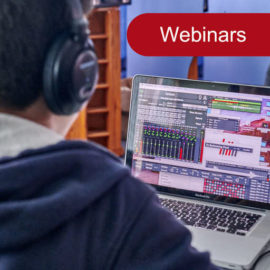
This forced confinement may the right period to learning new tools and to make Live Looping. This is why we have decided to offer free online initiations for Logelloop. These webinars will cover how to begin with Logelloop 5.1, or particular functions as well as the new features of Logelloop 5.1. Participants will be able to ask questions and make written interventions during the presentation. Date and time of the
Quentin Marotine plays circus music with Logelloop

How would you define your music? Often it’s music for shows that serves what’s happening on stage. It takes on different accents and colors depending on the requests of the artists or the stage director I play for. There is almost always a part of improvisation and a search for electronic treatment of an acoustic source. If it is a more personal project, these two notions are even more present.
Repeated actions with macros

It is possible to make repeated actions in Macros. This is two manners : DoRepeat// Everything here is repeated indefinitelyWhile true or : RepeatWhile true// Everything here is repeated indefinitely. EndRepeat If you want you can add a break in this repeated action.DoRepeat// Everything here is repeated indefinitely. Sleep 10 // Sleep 10 will stop the loop for 10 milliseconds While true The macro can also wait a user action to repeat the action
New features and bug fixes

Logelloop 5.0.20 Performance improvement on Looper, Main Looper and Macro Babylooper : Improved the behavior on mono tracks Saved loops : “This loop cannot be loaded (bad sample rate)” is only visible when needed Main Looper : after Nextloop, SFX are not removed or changed Main Looper : after Nextloop, the metronome is not set to master Metronome : fixed midi commands LFX / SFX creation : now possible to
Make your own Logelloop Plug-ins with Max

It is very simple to make LFX or SFX for Logelloop with Max Patchers. To create your insert, go to the Tools menu and choose one of these three options : Create an LFX insert in the Tracks inserts folder of the projectCreate an LFX insert in the Inputs inserts folder of the projectCreate an SFX plug-in with Max Then, give the name you want to your Plug-In, click OK
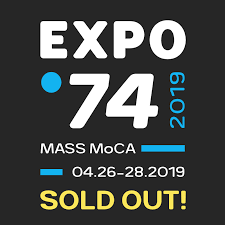
Logelloop workshop at Cycling 74 Expo

During the development of Logelloop 5, we were in close contact with the Cycling 74 team by participating in the Max 8 beta test on which the architecture of our software is based. Cycling is currently celebrating 30 years of Max’s existence and is organizing an important Expo at Mass Moca in North Adams.
LoopFest at Penvenan
Participate in the Logelloop 5 Beta test
After the Logelloop 5 release, the beta test is still open to people using Mac or Windows as we want to continue the development and to add some new useful features. So, feel free to join!